How to Unsync Contacts From Instagram Step by Step
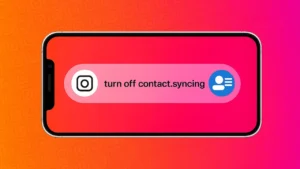
Instagram allows users to sync their phone contacts to find people they may know. While this feature can be useful, many users later decide to turn it off for privacy reasons. If you want to stop Instagram from accessing or storing your contacts, this guide explains exactly how to unsync contacts in a simple and official way.
What Happens When Contacts Are Synced on Instagram
When contact syncing is enabled, Instagram uploads phone numbers and names from your device to its servers. This data is used to suggest accounts you might want to follow. Even if you turn off syncing later, previously uploaded contacts may still remain linked to your account unless you remove them manually.
Also read: A Beginner’s Guide to Using Message Reactions on Telegram
How to Turn Off Contact Syncing on Instagram
Follow these steps to stop future contact uploads.
On Android and iPhone
- Open the Instagram app
- Go to your profile
- Tap the menu icon in the top-right corner
- Open Settings and privacy
- Scroll to Accounts Center
- Tap Your information and permissions
- Select Upload contacts
- Turn off contact syncing
Once disabled, Instagram will stop uploading new contacts from your phone.
How to Remove Already Synced Contacts
Turning off syncing does not automatically delete contacts that were uploaded earlier. To remove them:
- Open Instagram in a mobile browser or desktop browser
- Go to Settings
- Open Accounts Center
- Select Your information and permissions
- Tap Upload contacts
- Choose Delete uploaded contacts
This removes stored contact data from your Instagram account.
How to Stop Instagram From Accessing Contacts at Device Level
For extra privacy, you can also block contact access from your phone settings.
On Android
- Open Settings
- Go to Apps
- Select Instagram
- Tap Permissions
- Disable Contacts
On iPhone
- Open Settings
- Scroll to Instagram
- Turn off Contacts
This ensures Instagram cannot access your contacts even by mistake.
Will Unsyncing Contacts Affect Your Account?
No. Unsyncing contacts does not delete your followers, messages, or posts. The only change is that Instagram will no longer use your phone contacts for suggestions.
Why You Might Want to Unsync Contacts
- Better control over privacy
- Fewer unwanted follow suggestions
- No sharing of personal contact data
- Cleaner account recommendations
Many users prefer manual control over who they connect with on social platforms.
Also read: How to Archive Instagram Posts Without Deleting Them
Final Thoughts
If you care about privacy, unsyncing contacts from Instagram is a smart move. The process is simple, reversible, and does not impact your normal app usage. By turning off syncing and deleting uploaded contacts, you regain full control over your personal data.

Post Comment