How to Remove WhatsApp Call History on Android and iPhone
WhatsApp keeps a detailed call log of every voice and video call you make or receive. Over time, this call history can become cluttered or may include calls you prefer not to keep. If you want to clean up your WhatsApp Calls tab or protect your privacy, deleting call history is a simple and official option.
This guide explains how to remove WhatsApp call history on both Android and iPhone devices.
Also read: How to Unsync Contacts From Instagram Step by Step
How WhatsApp Call History Works
Every WhatsApp call you make is saved in the Calls section. This includes:
- Incoming calls
- Outgoing calls
- Missed calls
- Voice and video calls
These records are stored on your phone and can be deleted without affecting chats, media, or contacts.
How to Delete a Single WhatsApp Call Entry
On Android
- Open WhatsApp on your phone
- Tap the Calls tab
- Press and hold the call you want to remove
- Tap the delete option
- Confirm your action
Only the selected call entry will be removed.
On iPhone
- Open WhatsApp
- Go to Calls
- Swipe left on the call record
- Tap Delete
This removes just one call from your history.
Also read: A Beginner’s Guide to Using Message Reactions on Telegram
How to Delete All WhatsApp Call History at Once
On Android
- Open WhatsApp
- Go to the Calls tab
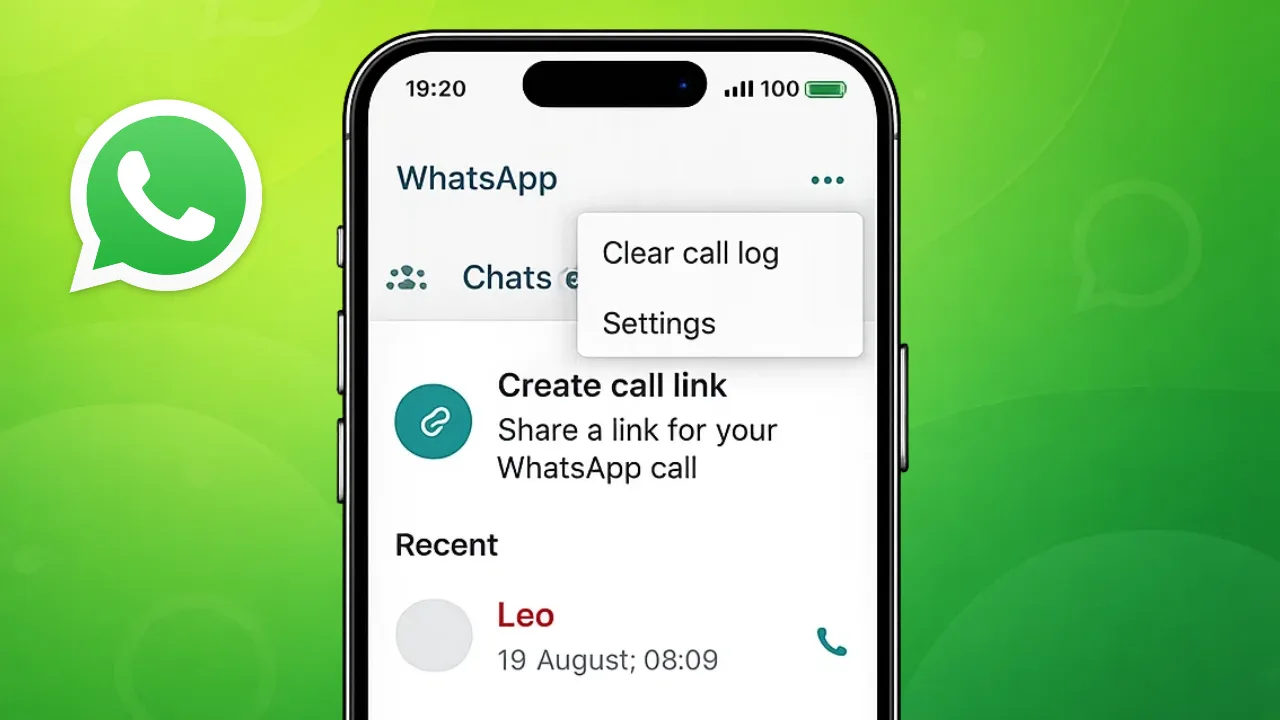
- Tap the menu icon in the top corner
- Select Clear call log
- Confirm to delete all call records
On iPhone
- Open WhatsApp
- Tap Calls at the bottom
- Select Edit
- Tap Clear
- Confirm your choice
This deletes the entire WhatsApp call log in one step.
What Happens After Deleting Call History
When you remove call history:
- Your chats remain unchanged
- Media files stay safe
- Contacts are not removed
- Only call records are deleted
WhatsApp does not notify other users when you delete call logs.
Will Deleted Call History Be Restored Automatically
Deleted call history does not come back unless you restore WhatsApp from an older backup. If you want the changes to stay permanent, create a new backup after clearing the call log.
Reasons People Clear WhatsApp Call History
Users usually delete call logs to:
- Maintain privacy
- Remove old or unnecessary entries
- Keep the Calls tab organized
- Prepare the phone for resale or sharing
It is a quick way to keep your app clean and private.
Also read: How to Change or Remove Your Last Name on Facebook Profile
Final Thoughts
Removing WhatsApp call history on Android and iPhone is easy, safe, and fully supported by the app. Whether you want to delete a single call or clear the entire log, WhatsApp provides built-in options to do it without affecting your messages or data. Regularly managing call history is a good habit for privacy and organization.








Post Comment