How to Use Instagram Saved Replies to Answer DMs Faster
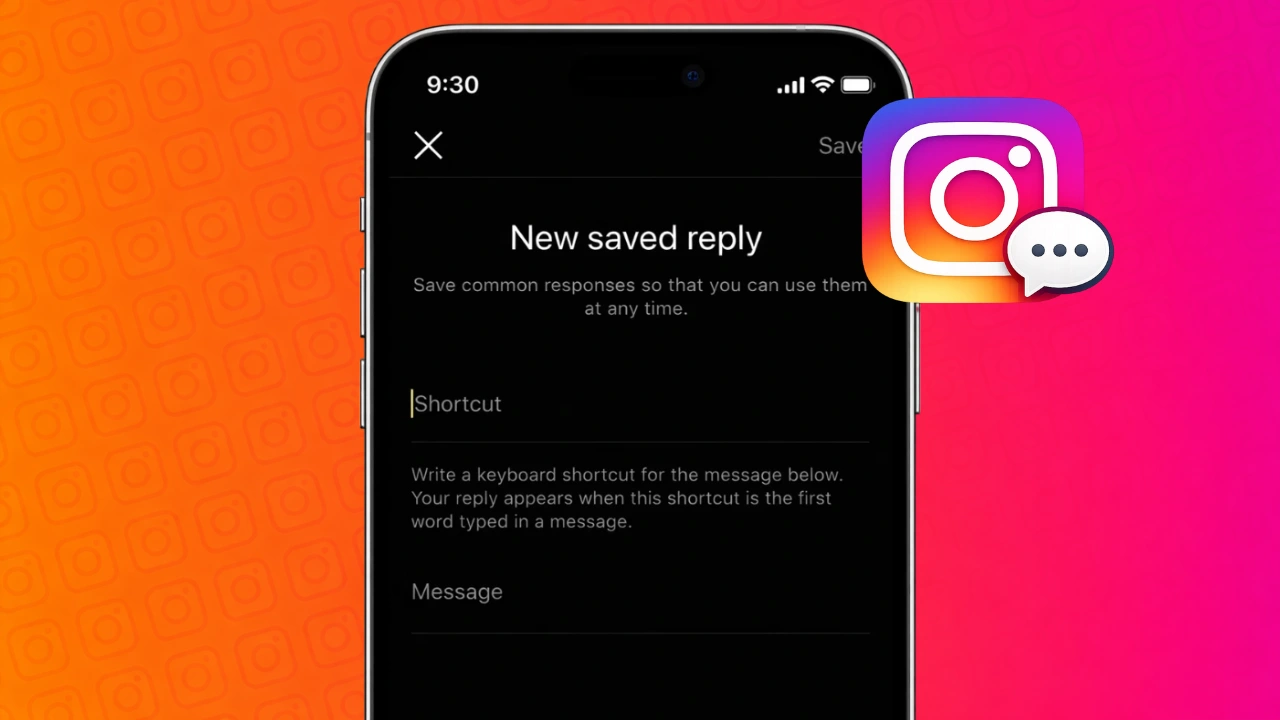
If you receive the same questions again and again on Instagram, replying manually can quickly become tiring. Instagram’s Saved Replies feature helps you handle messages faster by letting you reuse pre-written responses inside DMs.
This guide explains how saved replies work, who can use them, and how to manage them properly.
Also read: How to Unsync Contacts From Instagram Step by Step
Understanding Saved Replies on Instagram
Saved Replies allow you to store common responses and insert them into conversations using a shortcut. Instead of typing full messages every time, you can send a complete reply in just a few taps.
This feature is designed mainly for professional accounts that handle regular inquiries.
Account Requirements for Saved Replies
Saved Replies are available only for:
- Business accounts
- Creator accounts
If your account is personal, you must switch to a professional account before using this feature. The switch is free and reversible.
How to Create Saved Replies on Instagram
To add a saved reply, follow these steps:
- Open Instagram and go to your profile
- Tap the menu icon
- Open Settings and privacy
- Go to Business tools and controls or Creator tools
- Tap Saved replies
- Select Add new reply
- Write your message clearly
- Add a short shortcut keyword
- Save the reply
You can create multiple replies for different situations.
How to Insert Saved Replies in Chats
Using a saved reply inside a conversation is quick:
- Open any Instagram DM
- Tap the message input field
- Type a slash followed by your shortcut
- Choose the saved reply
- Send the message
The reply appears instantly in the chat.
Best Ways to Use Saved Replies
Saved replies are useful in many situations, such as:
- Responding to common questions
- Sending store or service details
- Sharing collaboration guidelines
- Providing basic support responses
They help you stay consistent while saving time.
Editing or Removing Saved Replies
You can manage your saved replies anytime:
- Open Instagram settings
- Go to Saved replies
- Select the reply you want to change
- Edit the text or shortcut, or delete it
Updates take effect immediately.
Things to Keep in Mind
- Avoid sending saved replies without reading the message
- Keep replies polite and neutral
- Personalize when needed
- Review replies regularly to keep them updated
Saved replies work best when combined with human judgment.
Also read: How to Archive Instagram Posts Without Deleting Them
Final Thoughts
Instagram Saved Replies are a practical tool for anyone managing frequent messages. They reduce typing effort, improve response speed, and help keep communication organized. When used correctly, they make daily DM handling much smoother without affecting authenticity.





Post Comment